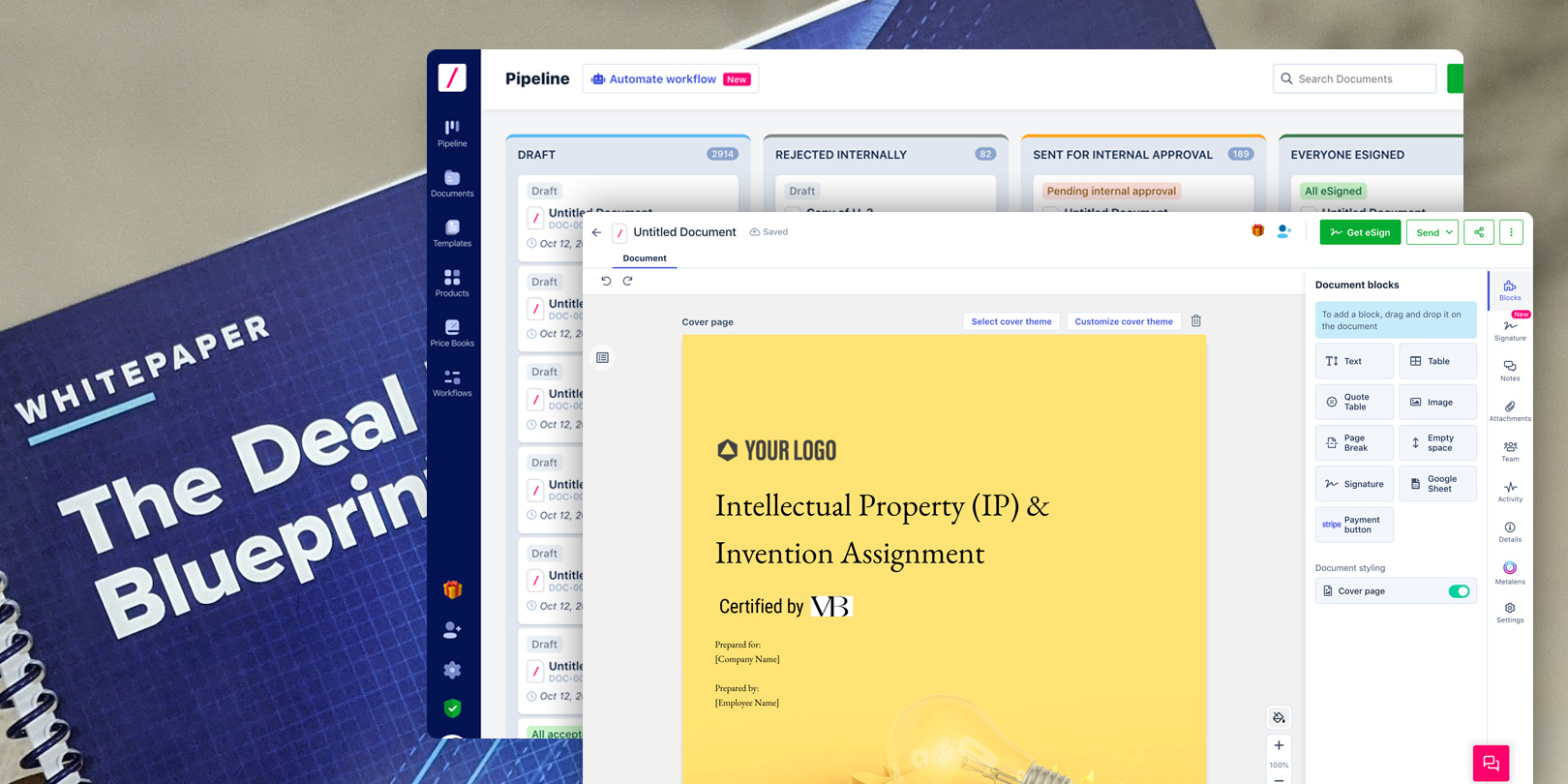
Revv began as configure-price-quote software, but customers’ work continued through revisions, legal review, approvals, and signatures across email and Word. Expanding beyond quoting meant bringing a document editor, reusable templates, no-code workflows, e-signature, and AI into one product that small teams could adopt.
As founding design lead, I shaped that expansion through customer research, product design, shared systems, and working front-end prototypes. I grew a four-person design team, giving designers ownership of complete flows from research through launch while staying hands-on with the editor, AI interactions, and front-end prototypes. The platform grew from zero to more than 10,000 paid customers in three years before LegalZoom acquired it; its document technology later supported LegalZoom’s Forms and e-signature experiences.
Role
Head of Product Design & founding member
Team
4 designers, working with 20+ cross-functional partners
Scope
Quoting, document editor, templates, workflows, e-signature, AI, and document management
Sales teams used configure-price-quote software to assemble products, pricing, and a quote. But the work continued after the quote was generated: revisions, legal review, approvals, contracts, and signatures. Much of that still happened across email and Word.
Revv could address a broader problem by connecting those steps. Small teams needed a way to create and complete documents without stitching together separate quoting, template, and e-signature tools or adopting a complex enterprise suite.
Follow the document beyond the quote
I spent time with sales and operations teams to understand where quotes went after they were sent and which steps still involved copying information between tools. The friction appeared in revisions, legal review, and following up for signatures as much as in quote creation.
Teams needed reusable templates and clear guardrails. A blank canvas offered flexibility, but required people to recreate structure and content. Adoption also depended on keeping the workflow together, so Revv felt like a place to complete the work rather than another tool to check.
That research shaped the direction: build a familiar editor, make templates and workflows usable without code, and introduce AI within document tasks. Each capability needed to support the same journey from a first draft to a completed, retrievable document.
The decisions that shaped the platform
01 / Product direction
Invest beyond quote generation
I pushed to invest in the editor, templates, and post-quote workflow while CPQ remained the starting point. This meant balancing deeper quoting features against the work needed to support contracts and proposals through completion.
The tradeoff was less immediate depth for quote-only customers. The hypothesis was that a complete document workflow would give teams more reasons to keep using Revv and broaden the product beyond the CPQ category.
02 / AI interactions
Keep AI close to the document task
I designed AI interactions around the content and fields people were already working on. Drafting, filling, and reviewing needed to fit the document experience rather than require a separate assistant workflow.
This required more integration with the editor and templates. People could still complete the underlying task without AI, while using assistance where it removed repetitive work.
03 / Prototyping
Use working code to resolve interaction questions
Engineering capacity for early exploration was limited. I built front-end prototypes of CPQ and editor flows so Product, Sales, and Engineering could try the interactions before committing to implementation.
The prototypes made details such as document structure and editing behavior concrete. I spent design time in code to help the team make decisions around an experience they could use.
One connected document experience
An editor for structured, reusable documents
The editor supported quotes, contracts, and proposals with templates, variables, and reusable content. I focused on making the canvas familiar while supporting the structure sales and operations teams needed.
Delivery built on that foundation. CPQ and the editor established creation and sending; templates, routing, e-signature, and AI extended the same workflow. Document management brought status, versions, and signature progress together so teams could return to their work.
Templates and workflows without engineering dependencies
Teams could reuse templates, set guardrails, and route documents through approvals. Legal and operations could define the structure, while sales completed the information needed for each customer.
The template library gave teams a starting point for common business documents.
AI within document work
AI drafting and field-filling extended the existing canvas and template model. The work also included contract insights, helping people understand sections of a document during review.
Contract insights brought explanations alongside the document being reviewed.
Impact
0 → 10K+Paid customers in three years.
8×Reported revenue growth as the platform expanded beyond CPQ.
AcquiredLegalZoom acquired Revv and brought its document technology into the broader product ecosystem.
These were company outcomes across the product’s growth, rather than isolated measurements of individual design changes. The editor, templates, and publishing model later supported LegalZoom’s Forms and e-signature experiences.