LegalZoom had 173 legally drafted templates, yet only about 4% of attorney-plan customers used Forms. The journey ended in a paid PDF download, with no straightforward way to edit or manage the document afterward. Turning Forms into a growth channel required connecting discovery, creation, e-signature, and ongoing use across LegalZoom’s legacy technology and Revv’s document tools.
I led the complete redesign, from research and journey mapping to interaction design, hands-on CSS, internal validation, and visual QA. Document creation rose from 6% to 15.5% after launch. The work also established document and paywall patterns used across products, a reusable approach to restyling legacy screens, and a simpler publishing workflow for the template library.
Role
Design lead, end to end
Duration
3–5 months
Partners
Product, Engineering, SEO, Content, Data, Legal, Marketing, and Customer Support across India and the US
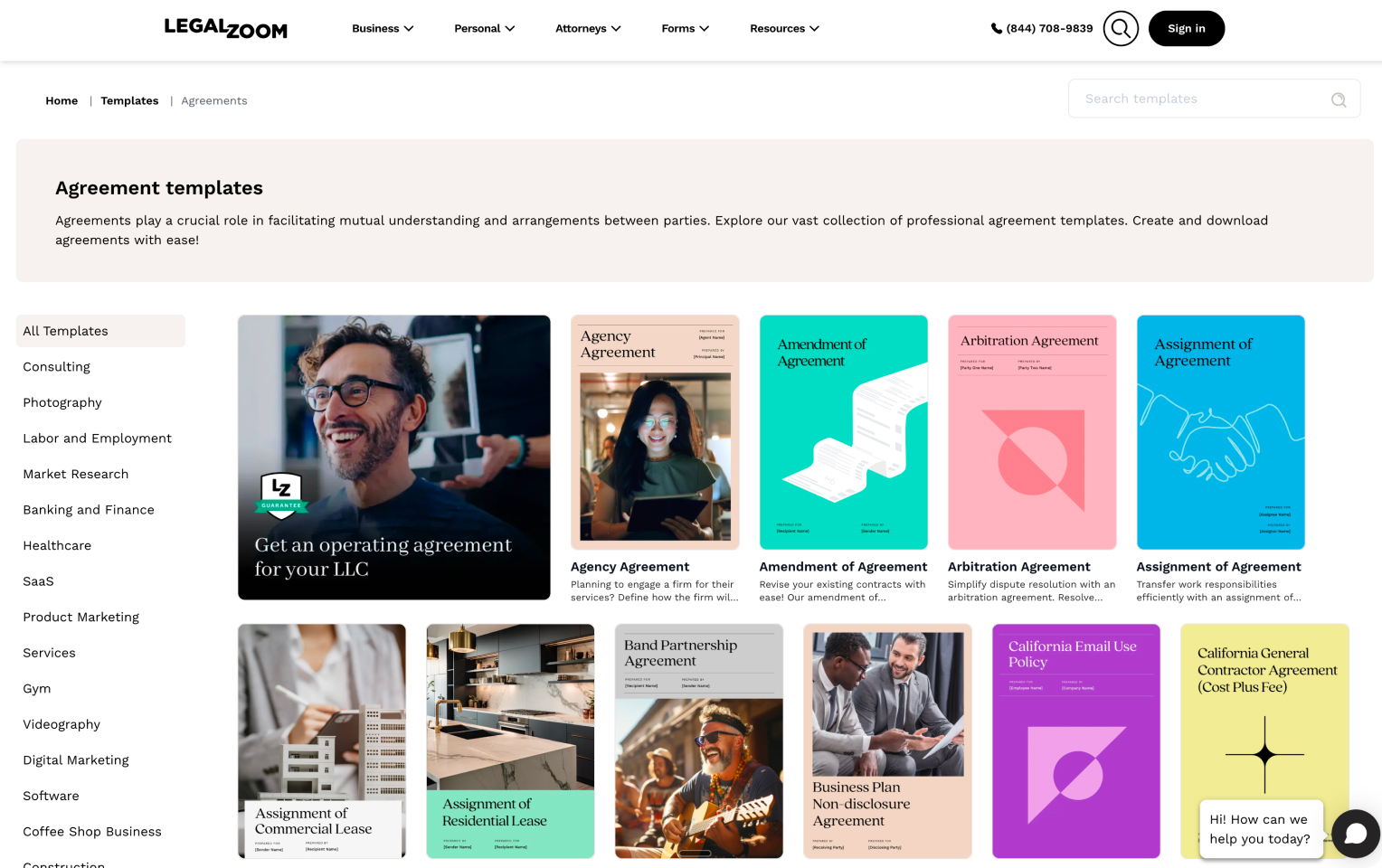
Customers used Forms for NDAs, service agreements, promissory notes, and other legal documents. The existing flow was linear: choose a template, answer a questionnaire, pay, and download a PDF. Correcting even a spelling mistake meant going through the process again. There was no straightforward way to return to edit or manage the document in their account.
The library held 173 legally drafted templates, priced at $59 per document or $95.40 annually. Only about 4% of attorney-plan customers used Forms, even though access was included in their plans. Search visibility was low, and the outdated storefront made the right template difficult to find.
The assignment began with the storefront as a growth opportunity. As I researched the experience, I expanded the brief to include what happened after someone found a form.
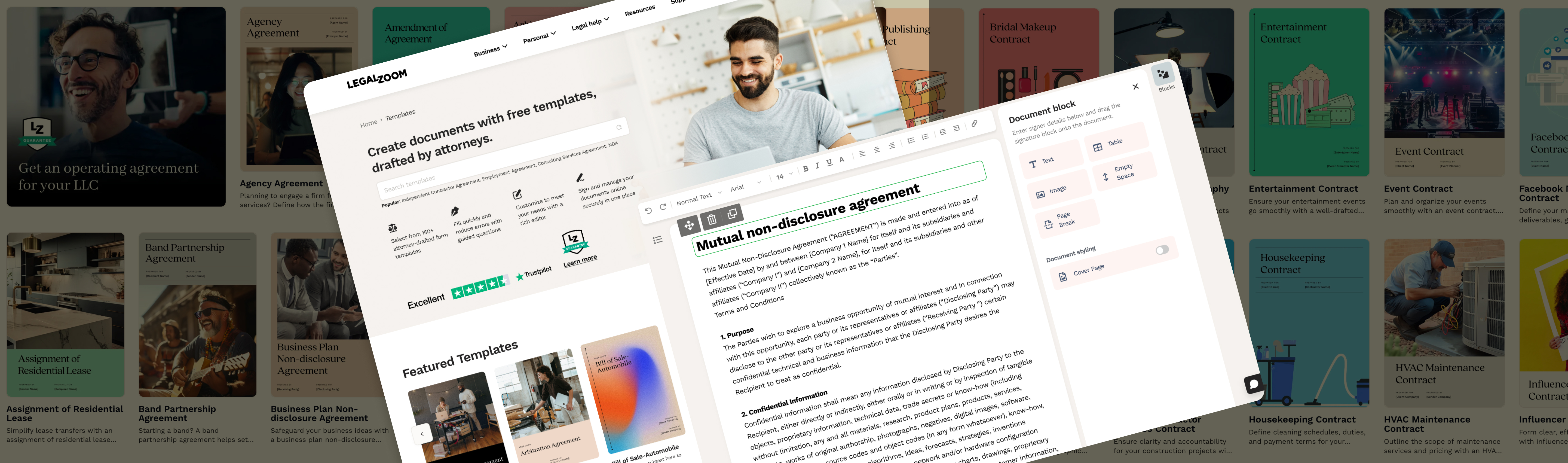
The original storefront, questionnaire, and purchase experience.
Research and direction
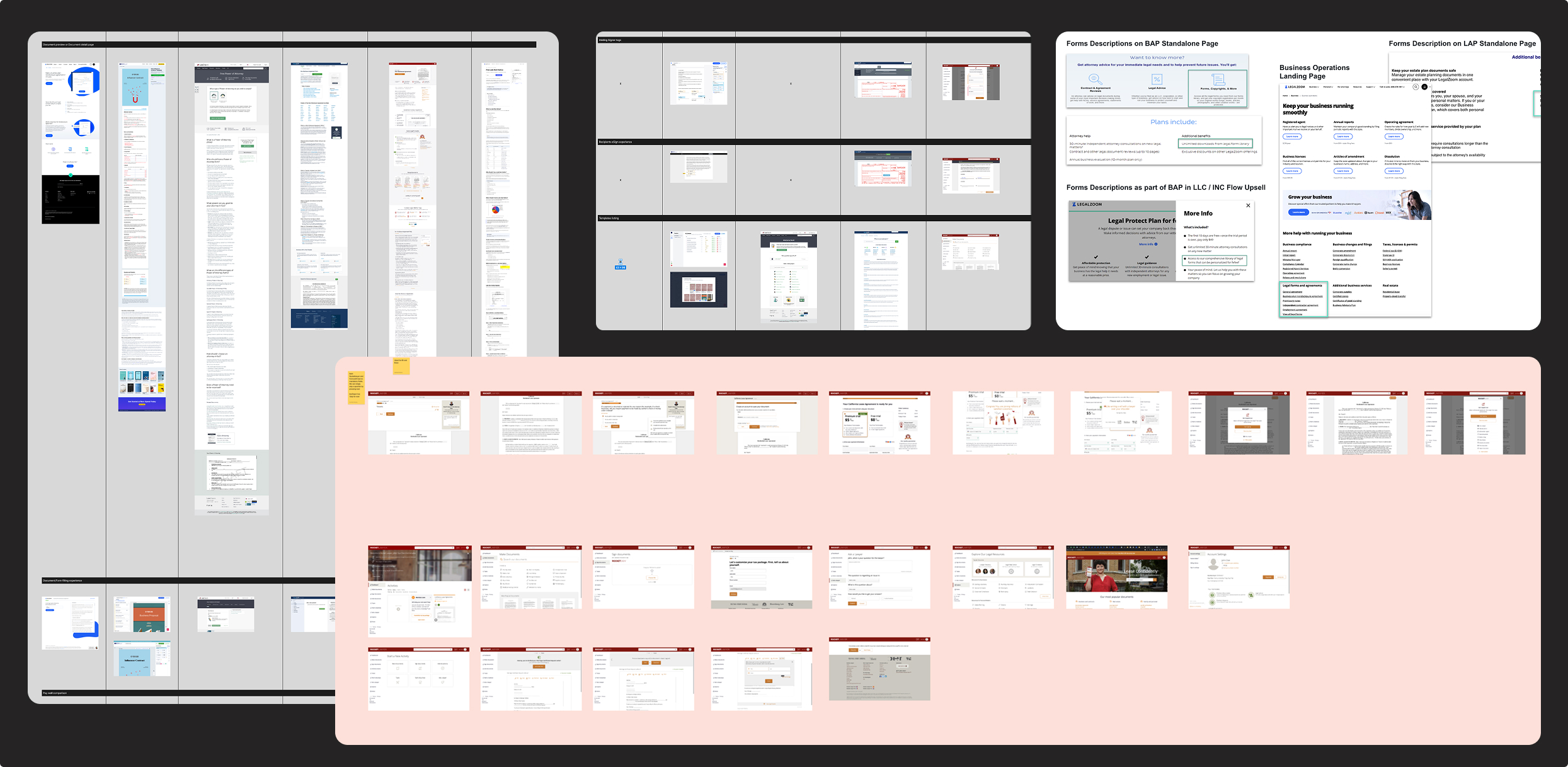
I audited pricing, entitlements, adoption, and search visibility with Product Marketing and Data. I traced how Forms appeared across landing pages, attorney-plan benefits, and upsell flows, then compared complete competitor journeys from discovery through editing and signing.
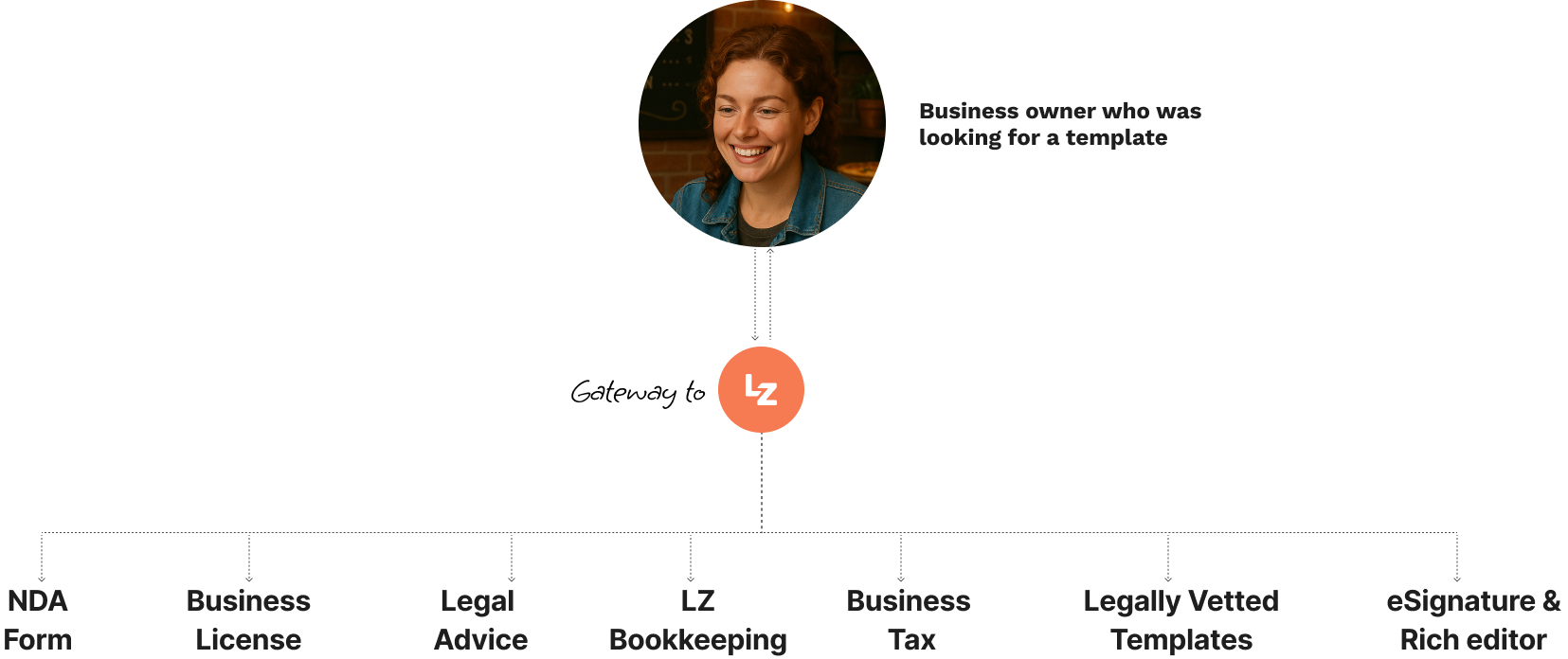
I mapped four starting points: new visitors, attorney-plan customers, formation customers, and existing customers without Forms access. Each needed to understand what they could use and when payment was required. My experience at Revv helped me identify how its editing, signing, and storage capabilities could connect with LegalZoom’s legally drafted content.
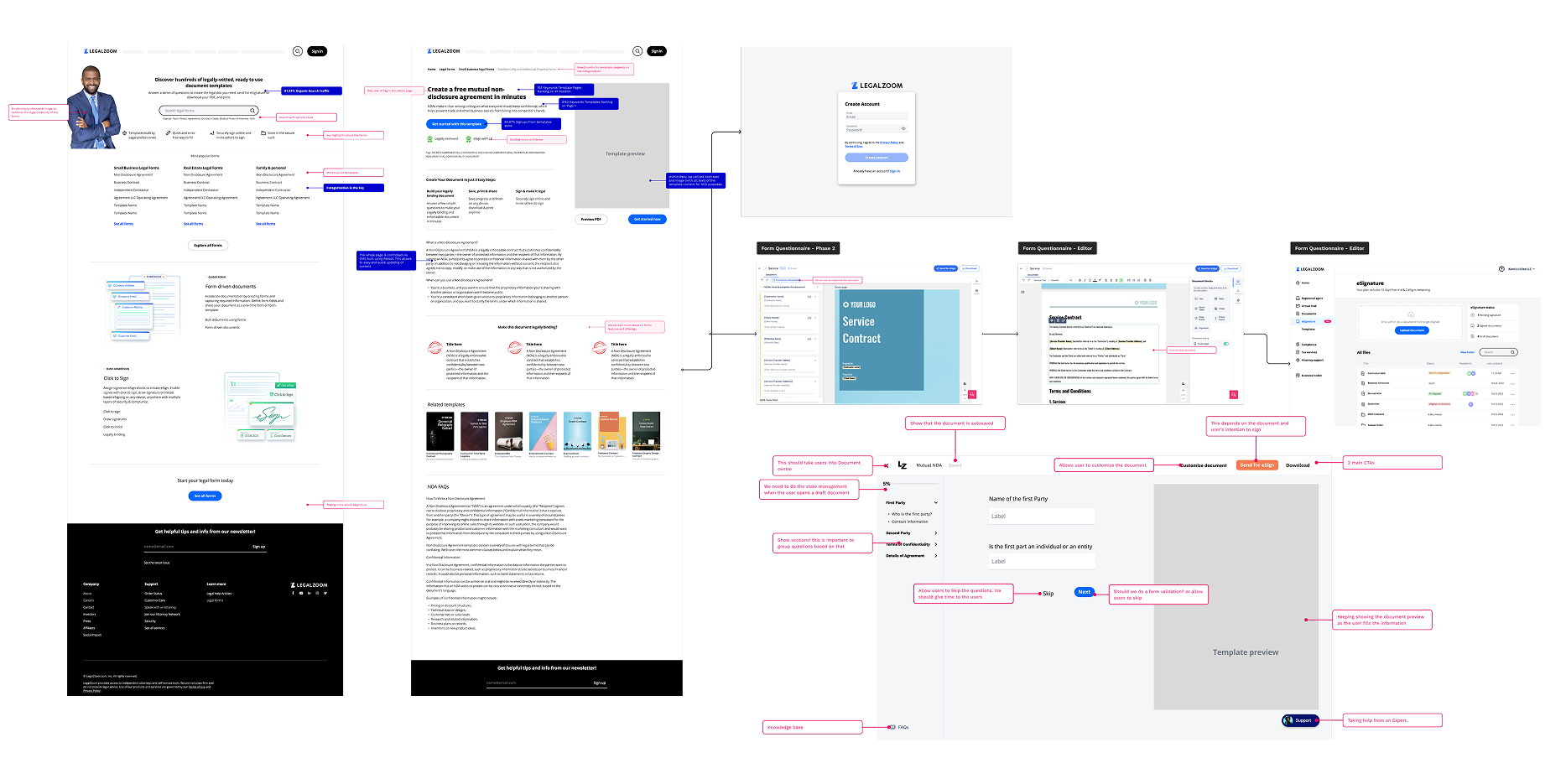
Research across the existing product, access paths, and document journeys.
Explore the complete Forms journey.
Open in FigJam ↗
Deliver value before asking for payment
My hypothesis was that free creation, preview, and PDF download would give customers a useful result before they decided to pay for editing or e-signature. Creating a document would also bring them into MyLZ, where they could return to their work and discover relevant services.
I organized the experience around discovery, template preview, guided questions, and the document itself. Plain language, clear pricing, searchability, and consistent styling guided the work. The longer-term traffic ambition was roughly 250,000 to 5 million annual visitors; this was a goal, not a launch result.
Forms as an entry point into the broader LegalZoom experience.
The decisions that shaped the experience
I designed one connected journey across the storefront, Drupal questionnaire, Revv-powered document experience, and MyLZ. The technology differed, but customers needed it to feel like one product.
01 / Discovery
Help people find the right template
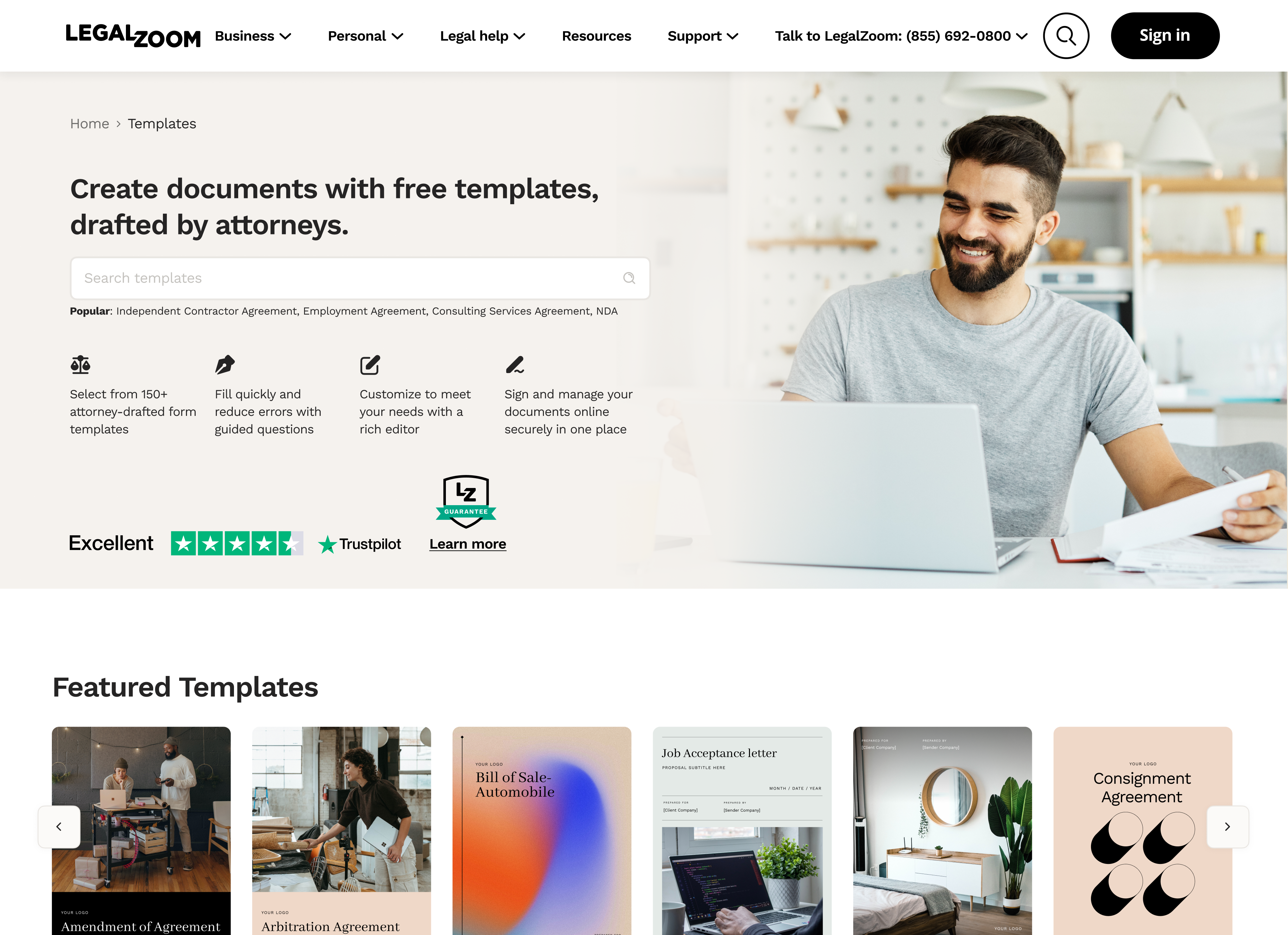
I redesigned the storefront around a searchable library of more than 400 templates, with featured and popular forms, categories, subcategories, and category pages. With SEO partners, we cleaned up the URL structure and designed pages for organic discovery.
I defined thumbnail imagery and hierarchy guidelines, collaborating with a visual designer on more than 200 thumbnails. The visual cards gave people a more recognizable way to browse.
The redesigned storefront on desktop and mobile.Categories and visual template cards support browsing beyond search.
02 / Template preview
Make the choice clear before creation
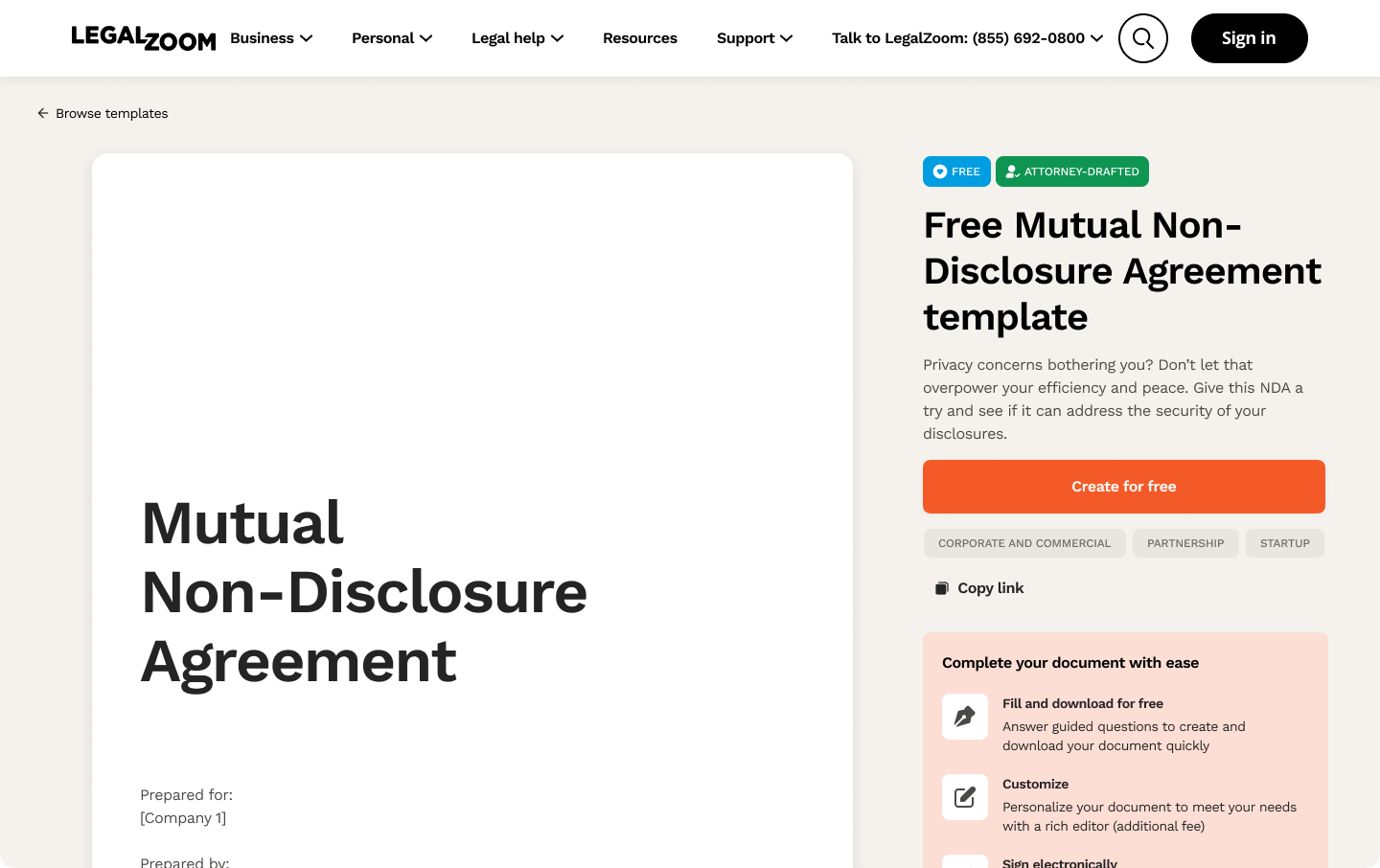
Template detail pages combined a document preview, explanation, self-help content, FAQs, and related forms. They helped customers judge whether a template fit their needs and gave search engines relevant content.
I initially wanted the discovery thumbnail to carry into the generated document. Drupal constraints and the need for replacement-cover controls added effort without helping someone complete an NDA or promissory note. I retained imagery for discovery and left decorative document covers out of scope.
Template detail pages combine a preview with guidance and a clear path to creation.
03 / Legacy technology
Make Drupal feel like LegalZoom
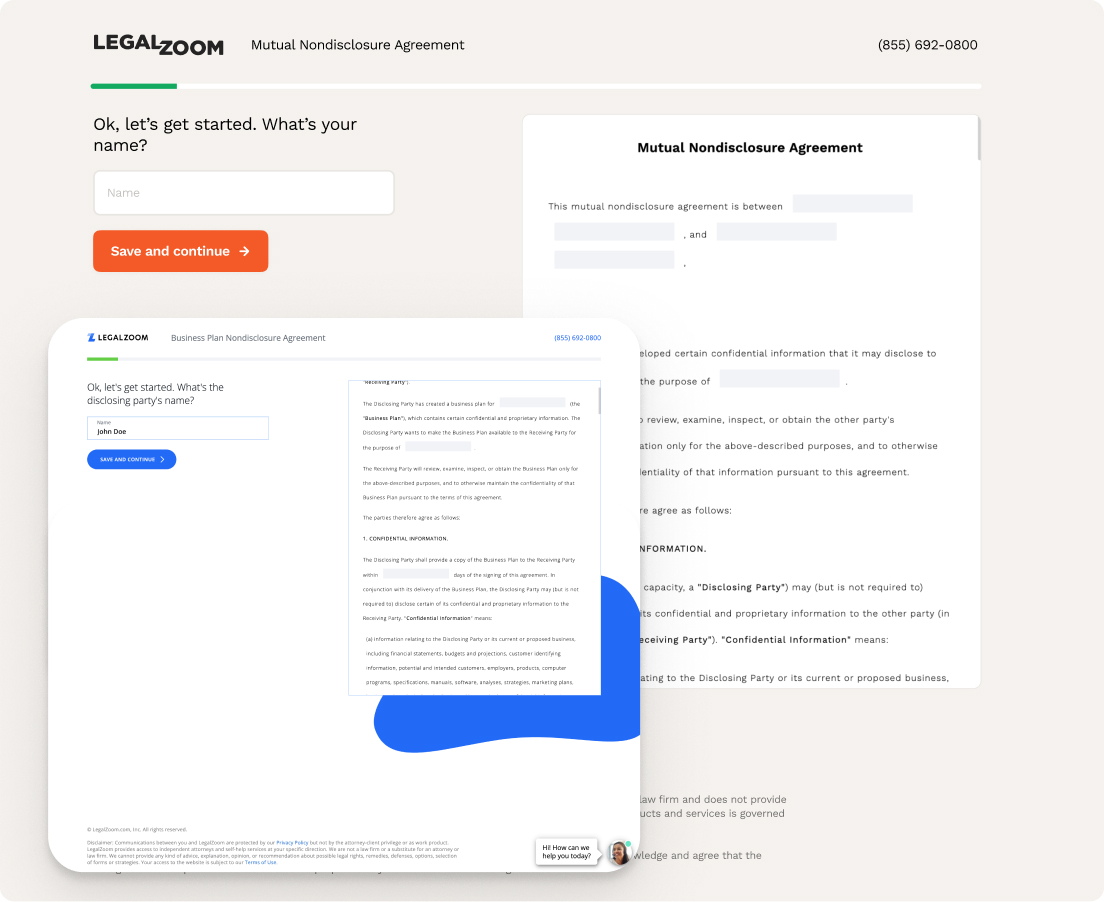
Replacing the questionnaire’s legacy Drupal implementation would take months. I rewrote its CSS to match Negroni, LegalZoom’s design system, updating CTAs, typography, backgrounds, and spacing while retaining the existing flow. I called this approach Negroni Lite.
Teams in estate planning, power of attorney, and healthcare directives later adopted the approach. Engineers used Forms as a reference; I guided their adaptations and led visual QA. Some changes carried through shared CSS, while others were recreated by those teams.
The existing Drupal questionnaire, restyled through Negroni Lite.
04 / Documents and payment
Let customers use the document before upgrading
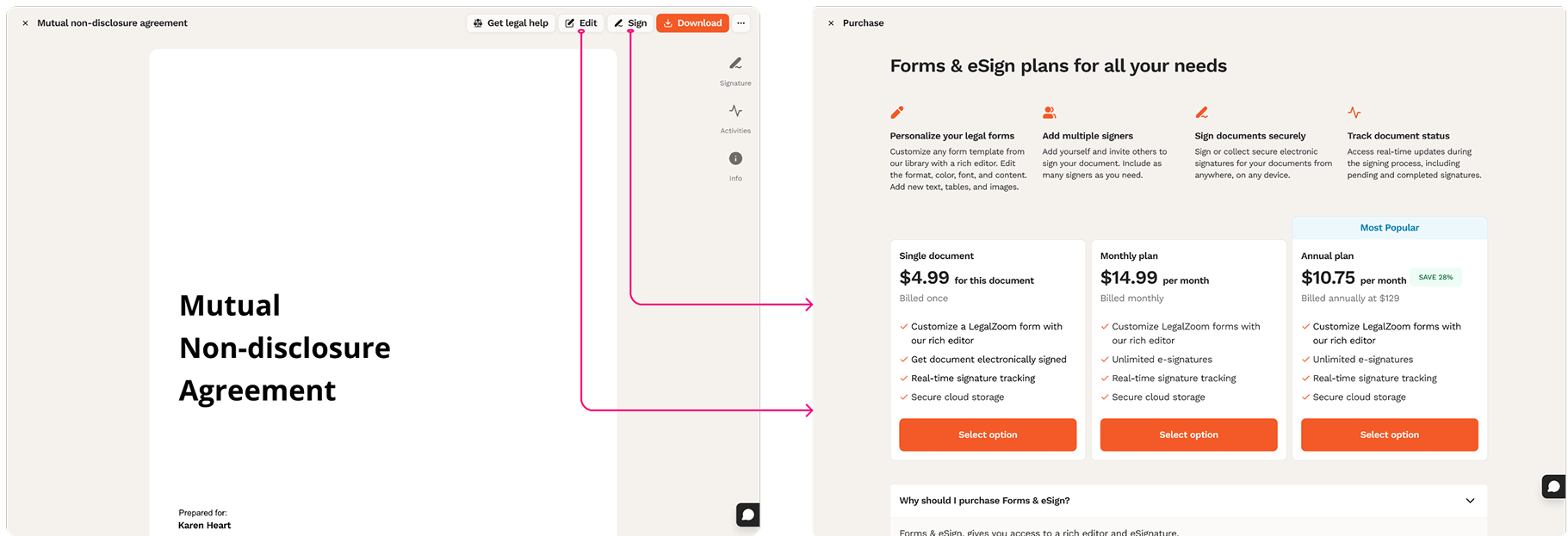
I designed the generated-document preview, its top-level actions, and the editor. Preview and PDF download were free. An Edit action opened the editor; editing and sending for e-signature introduced a paid step, with entitlement labels explaining what was included.
The preview focused on the completed document and next actions. The editor supported changes. I also helped define shared document layouts and action patterns for other LegalZoom products.
Document actions and entitlement labels make the available next steps explicit.
For the paid step, I explored a modal, a paywall outside MyLZ, and a full-page takeover. We chose the takeover because it gave us room to explain the offering, compare features, and show pricing together. It became a shared pattern across multiple products.
The full-page plan comparison used for paid document capabilities.
05 / Document management
Give people a place to return
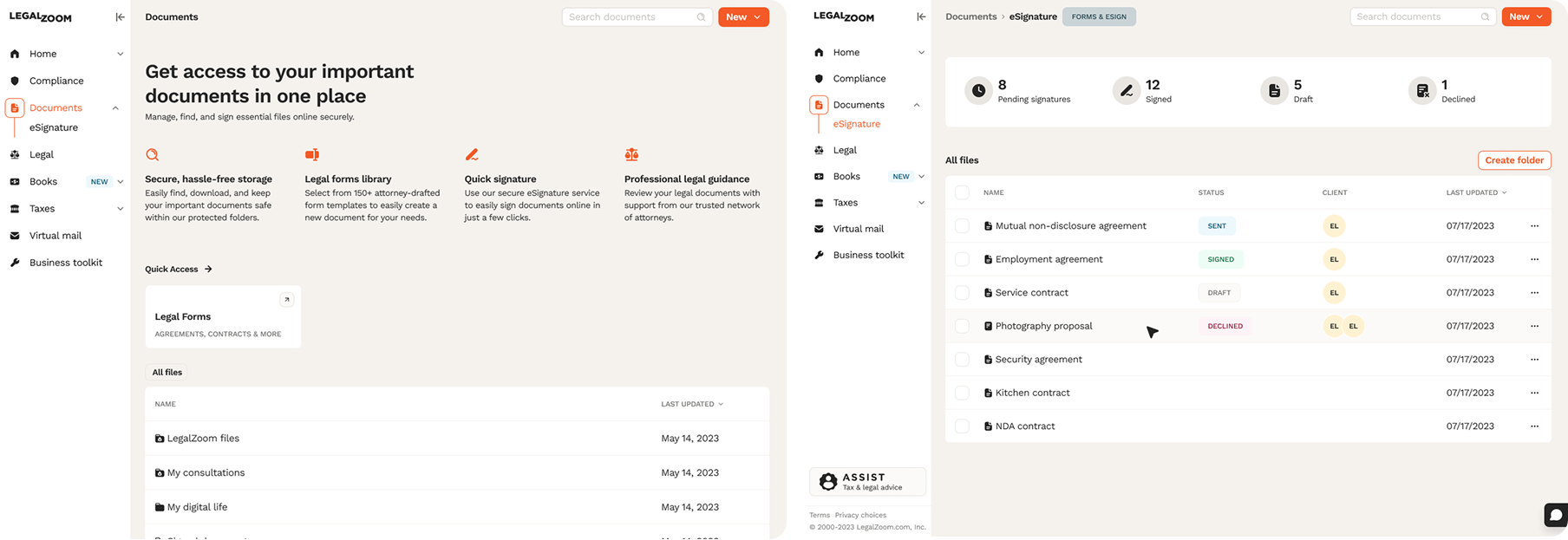
The existing MyLZ Document Hub lacked search, useful status insights, and document metadata. I redesigned it with search, signature-status summaries, recipients, and last-updated information. Customers could retrieve their work, send it for e-signature, and track whether an agreement was pending, signed, or declined.
This extended the experience beyond creation and download, giving the ongoing-use hypothesis a place in the product.
The redesigned MyLZ hub brings document access and e-signature tracking together.
06 / Publishing
Make the library easier to maintain
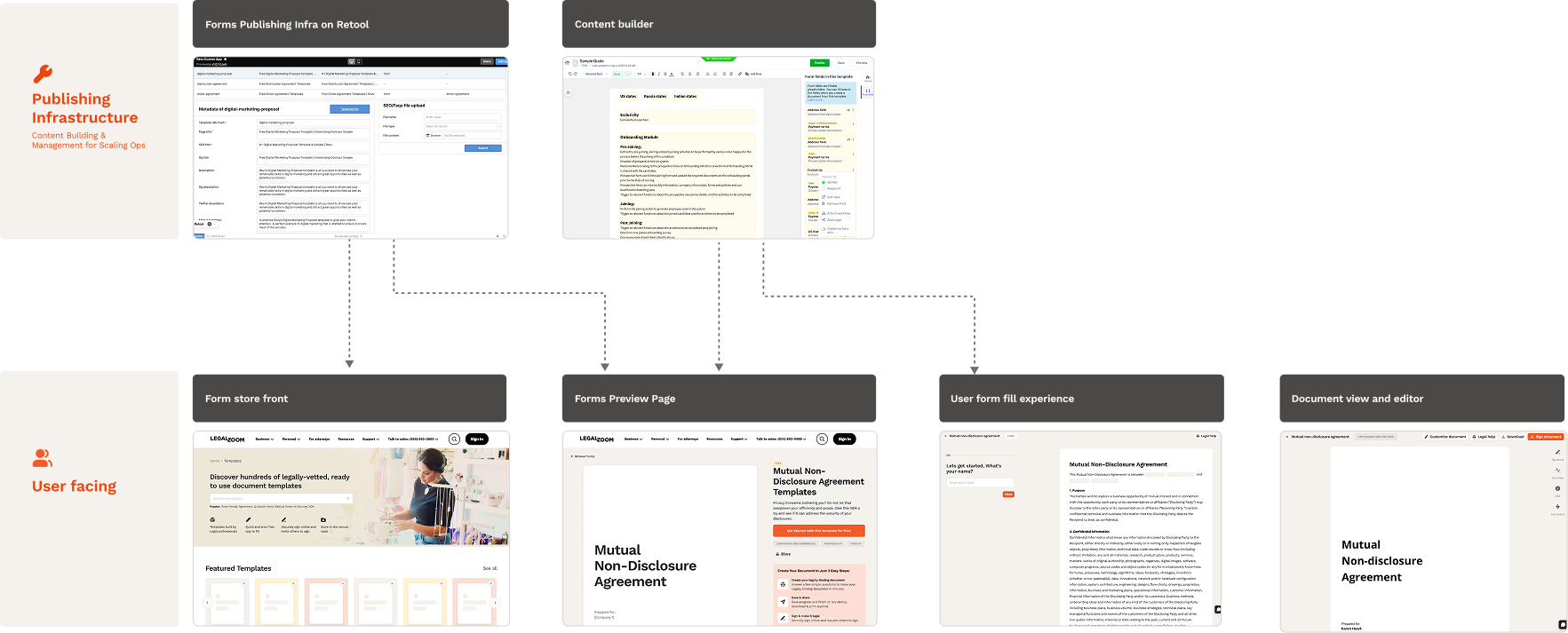
I defined the publishing workflow with Engineering, SEO, and Content and introduced Retool as a CMS connected to Revv’s template library. Writers could manage content, images, URLs, and SEO metadata, with updates published to the website.
This reduced the need to work directly in Revv’s admin portal and made publishing simpler and faster. I brought experience from Revv, then adapted the process and tooling for LegalZoom.
The template library and Retool publishing interface support content operations.
Validation
I observed colleagues across teams finding a template, completing the questionnaire, signing up, reviewing their document, and downloading it. We also walked through the paid editing path. Participants generally completed the journey with little friction, which gave us confidence to launch.
This was internal dogfooding, rather than an external customer usability study. After launch, we monitored traffic, document creation, and interest in attorney support.
Impact
16% → 30%New visitor traffic after the SEO-focused redesign.
6% → 15.5%Document creation, up about 9.5 percentage points.
+5%Reported increase in attorney-support click-through.
The first two figures are before-and-after percentages. They show improvement in discovery and document creation; they do not establish repeat usage or paid advisory conversion.
The work also carried beyond Forms: Negroni Lite spread to other legacy products, the full-page paywall became a shared pattern, and the Retool workflow simplified publishing.